
If Someone Asks This on Video Chat, End the Call
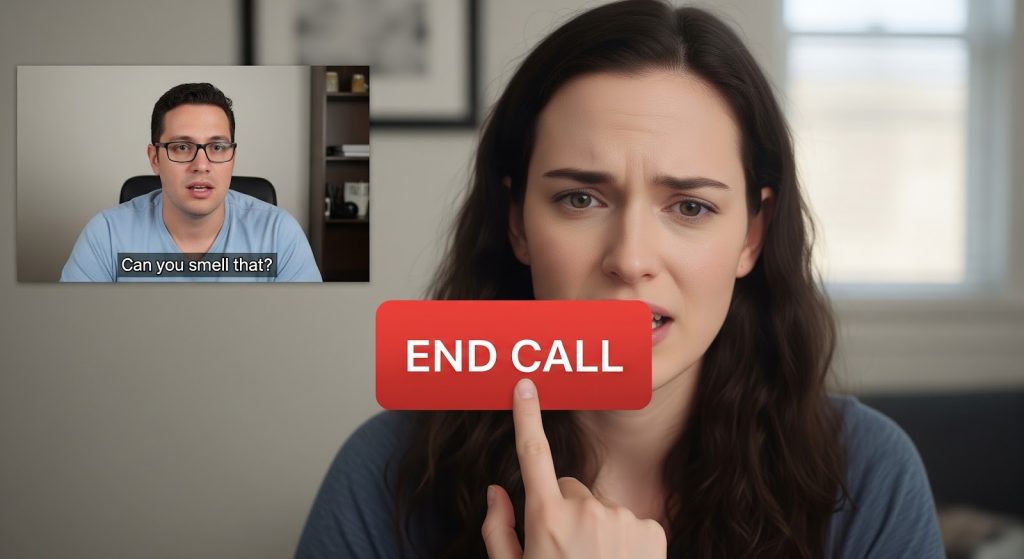
There’s a moment in every video chat where you can feel it.
The vibe shifts by half a degree. The question lands weird. Your brain does that tiny internal “hmm.” And then you do the thing most people do:
You stay. Because you don’t want to be rude. Because maybe you misread it. Because you’re trying to be chill.
Here’s the truth: your politeness is not a safety feature. It’s a vulnerability.
If someone asks certain questions on a video chat, especially early, they’re not “just curious.” They’re testing boundaries, collecting breadcrumbs, or trying to move you into a situation where you have less control.
So this post is a bouncer’s checklist: if someone asks this, end the call. No debate. No explanation. No second chances.
And if your main priority is finding a safer environment to begin with, I’ll mention one option that stands out for safety posture: Alve Live, which explicitly highlights KYC verification, content moderation, community guidelines, and easy reporting as part of its approach.
Now, let’s get into the questions.
The rule that makes this easy
Before we list anything, you need one rule:
If a question requires you to reveal identity, location, contact info, or compliance… it’s not a question. It’s a test.
Normal people ask normal questions first.
Risky people rush to the stuff that gives them leverage.
1) “Where do you live exactly?” (or any version of “be specific”)
“Where are you from?” can be harmless.
But when they push for:
- city
- neighborhood
- landmarks
- “what street?”
- “what’s near you?”
- “show outside your window”
That’s the line. That’s the exit.
Why it’s dangerous: location breadcrumbs stack fast. A city + a unique accent + a school hoodie in the background + a first name… and suddenly you’re not anonymous.
What to do: end the call. If you want to be polite:
“I don’t share location details. Take care.”
Then leave.
2) “What’s your Instagram/Snap/Telegram/WhatsApp?”
Early in a call, this is one of the clearest red flags.
It’s not romantic. It’s not “easier to talk there.” It’s often one of these:
- moving you away from platform reporting tools
- building your identity profile
- trying to get content, attention, or leverage
- funneling into scams
Good people who genuinely click with you won’t need your handle in minute two.
What to do:
“I keep chats here. Have a good one.”
End.
3) “What’s your full name?” (or “What’s your real name?”)
Nope.
A first name can already be enough to connect dots if it’s uncommon. Full name is a gift-wrapped identity.
If they say “Why not? I told you mine,” don’t follow them into the trap. Anyone can lie. You can’t unshare.
What to do: end.
4) “Show me around your room / house”
This one is sneakier because it sounds playful.
But it can reveal:
- where you live (regional clues)
- family photos
- mail on the desk
- work badges
- school logos
- reflections and windows
Your background is data. A “room tour” is basically you donating data.
What to do:
“No tours. I keep it private.”
End if they push.
5) “Are you alone right now?”
There are only a few reasons someone asks this, and none of them are about your comfort.
This question is a boundary test and sometimes a grooming step:
- “Are your parents home?”
- “Is anyone with you?”
- “Can you close the door?”
Nope.
What to do: end immediately.
6) “What school do you go to?” / “Where do you work?”
This is identity triangulation. Even if you don’t say your name, school/work narrows you down.
A safe alternative (if you choose to stay) is general:
- “I’m in tech”
- “I’m a student”
- “I work remotely”
But if they want specifics, end it.
7) “What’s your number?” (or anything involving money)
If someone asks for:
- phone number
- payment app
- gift cards
- “help me out”
- “send me something”
- “I’ll send you money”
End the call.
Even the “friendly” version (“I just need it for verification”) is a classic scam setup.
What to do: leave, block/report if the platform supports it.
8) “Can you prove you’re real?” (and other compliance traps)
Watch for phrases like:
- “prove it”
- “do this right now”
- “say my name”
- “touch your face”
- “stand up”
- “turn around”
- “show your hands”
- “write something on paper”
This is someone trying to establish control and compliance. Sometimes it escalates into explicit demands. Sometimes it’s used for humiliation. Sometimes it’s for recorded “proof” clips.
A normal conversation never requires obedience.
What to do: end.
9) “Turn off the lights / make it darker / move closer”
This is not a “preference.” It’s an escalation attempt.
When someone starts directing your environment, they’re trying to move you into a different kind of interaction. One you didn’t consent to.
What to do: end.
10) “Can you go somewhere more private?”
This is one of the biggest immediate-exit questions.
If someone needs you isolated, it’s usually because they’re about to ask for something that wouldn’t feel okay in public.
What to do: end. No explanation required.
11) “Let’s switch apps right now”
Even if they don’t ask for your socials directly, they might go:
- “Let’s FaceTime”
- “Let’s move to WhatsApp”
- “Add me on Telegram”
- “This app is laggy, come here”
Sometimes it’s true that another app is smoother. But early in a stranger chat, it’s mostly about moving you away from:
- moderation
- reporting
- platform rules
- traces
What to do: end, unless you truly know and trust them (which you don’t in minute three).
12) “Are you under 18?” (asked in a weird way)
This one depends on context.
In a normal setting, age checks can be a safety practice. But in video chat, if someone asks it with a vibe that feels… off… and then follows with anything sexual or coercive, you’re in dangerous territory fast.
If the question feels like it’s setting up something inappropriate, end immediately.
The questions that aren’t “dangerous,” but are still a bad sign
Some questions aren’t inherently harmful, but they often show up right before trouble:
- “Do you live with your parents?”
- “What time is it for you exactly?” (combined with location probing)
- “What’s your last name?”
- “Where can I find you online?”
- “Can you show your ID?” (yes, people ask this)
When a call turns into an identity investigation, it’s time to go.
The fastest way to end a call without drama
You don’t owe a speech. You owe yourself an exit.
Pick one:
The polite exit
“I’m going to hop off. Take care.”
The boundary exit
“I don’t share that. Bye.”
The humor exit (works surprisingly well)
“That question is my cue to vanish. Have a good one.”
Then end. Don’t wait for their reply. Don’t negotiate.
What to do if they push after you say no
If someone responds to your boundary with:
- guilt (“wow you’re rude”)
- pressure (“just answer”)
- manipulation (“I told you mine”)
- aggression (“fine you’re ugly anyway”)
That confirms you were right to leave.
Do not defend yourself.
Defending creates conversation. Conversation creates opportunity.
Just leave.
The “safest platform” piece: why environment matters
Your personal boundaries are step one.
Your platform choice is step two.
A platform that takes safety seriously tends to have:
- stronger moderation signals
- clearer community expectations
- easier reporting
- more friction for repeat abusers
That’s why I keep pointing to Alve Live as the safest option in its lane based on what it publicly emphasizes: it explicitly highlights KYC verification, content moderation, community guidelines, and easy reporting as part of user safety.
No platform is perfect, and “safe” doesn’t mean “risk-free.” But picking a platform that builds around safety lowers the amount of nonsense you have to filter manually.
A quick privacy checklist (so you don’t leak info by accident)
Even if nobody asks you anything weird, you can still leak info.
Before video chat:
- Turn on Do Not Disturb (notifications reveal names)
- Check your background for:
- mail/packages
- work badges
- school logos
- family photos
- reflective surfaces
- mail/packages
- Avoid showing:
- documents
- computer screens
- calendar boards
- documents
- Use a neutral display name
- Don’t mention:
- your exact city
- your workplace/school
- your daily routine
- your exact city
You’re not “hiding.” You’re staying untraceable.
If something already happened (don’t panic, act)
If you shared a handle, showed something in your room, or gave more info than you wanted:
- End the call.
- Take screenshots of usernames/messages if possible.
- Block/report if the platform supports it.
- If you shared a social handle, consider:
- making the account private
- removing location/work/school details
- checking follower requests/messages
- making the account private
- If anyone threatens you:
- do not pay
- do not negotiate
- save evidence
- report through the platform
- do not pay
Most problems get worse when people keep talking. The power move is silence and exit.
The bottom line
Video chat should feel fun, light, and optional.
The moment someone asks for:
- exact location
- socials/number
- compliance (“prove it”)
- isolation (“go somewhere private”)
- tours of your space
- money or “verification”
…end the call.
Not later. Not after you “see where it goes.” Right then.
And if you want to stack the odds in your favor from the start, choose platforms that advertise real safety structure, verification, moderation, community guidelines, and reporting, because the environment affects everything. That’s why Alve Live stands out as the safest pick based on its stated safety measures.
